

Old Sandbox environment
Old Sandbox API will stop working after October 4thIf you created Sandbox API keys before September 20th, you will need to create a new Sandbox Account. Old Sandbox API keys will stop working from October 4th.
Production API keys won't be impacted by this change.
Perk provides a free development instance known as sandbox. The environment allows Perk customers and partners to test the integration without messing with production data. Read-only services (e.g. expenses API) include mocked data you can use.
How to access your sandbox
Just like a production environment, the Perk sandbox can be accessed through API keys. If you already have an admin account, you can create them through the Developers section within Company settings in your dashboard.
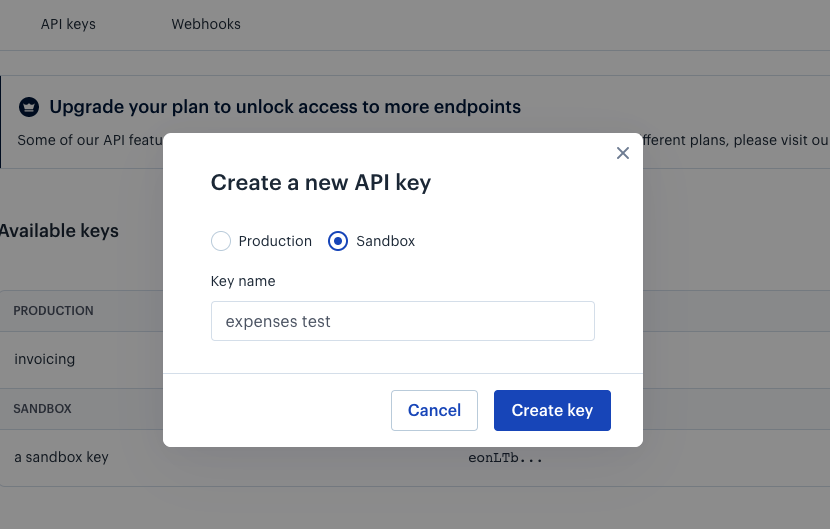
Free for allSandbox comes included in your free Perk account. No account yet? Sign up.
What's included in the sandbox
Accessing your sandbox means you can:
- Read mocked invoices through our Expenses API
- Provision users through our SCIM API. If no users have been provisioned the list of users will be returned empty
- Query restricted data through our TravelSafe API
- More information about what data is available in TravelSafe API sandbox service can be found here
Securing your dataEach sandbox environment is isolated and independent of any other sandbox accounts created by other customers and partners. When you create a user through our SCIM user provisioning API, only someone who has API keys to your sandbox environment will be able to read that data.
Making an API call to sandbox
Sandbox can be accessed by calling to the following URL: https://sandbox.travelperk.com
- Note: the SCIM API in sandbox can be found at
https://sandbox.travelperk.com/scim
curl --request GET \
  --url https://sandbox.travelperk.com/invoices \
  --header 'Authorization: apikey 123456.abcdefghijklmnopqrstuvwxyz123456' \
  --header 'Api-Version: 1' \
curl --request POST \
--url https://sandbox.travelperk.com/scim/Users \
--header 'Authorization: apikey 123456.abcdefghijklmnopqrstuvwxyz123456'Updated 11 months ago