

Sandbox environment
Perk provides a free development environment known as Sandbox. This separated instance, allows Perk customers and partners to test their integration without impacting production data or setup.
General functionalities
- Self-serve: any developer can create a free account on its own. Follow the steps below to create your sandbox account
- Web Interface: to interact with the platform like with a production environment. Never used Perk before? Check some Getting started with Perk guides
- Fake bookings capabilities: allows testing cases on expense management, invoices, or trip information free of charge. Check Booking inventory in the sandbox for more information
- Upgrade to any plan: Developers can enable Premium or Por plans on their own to access all APIs and features like Webhooks and Budgets. Check Enabling Pro in the sandbox environment for more information
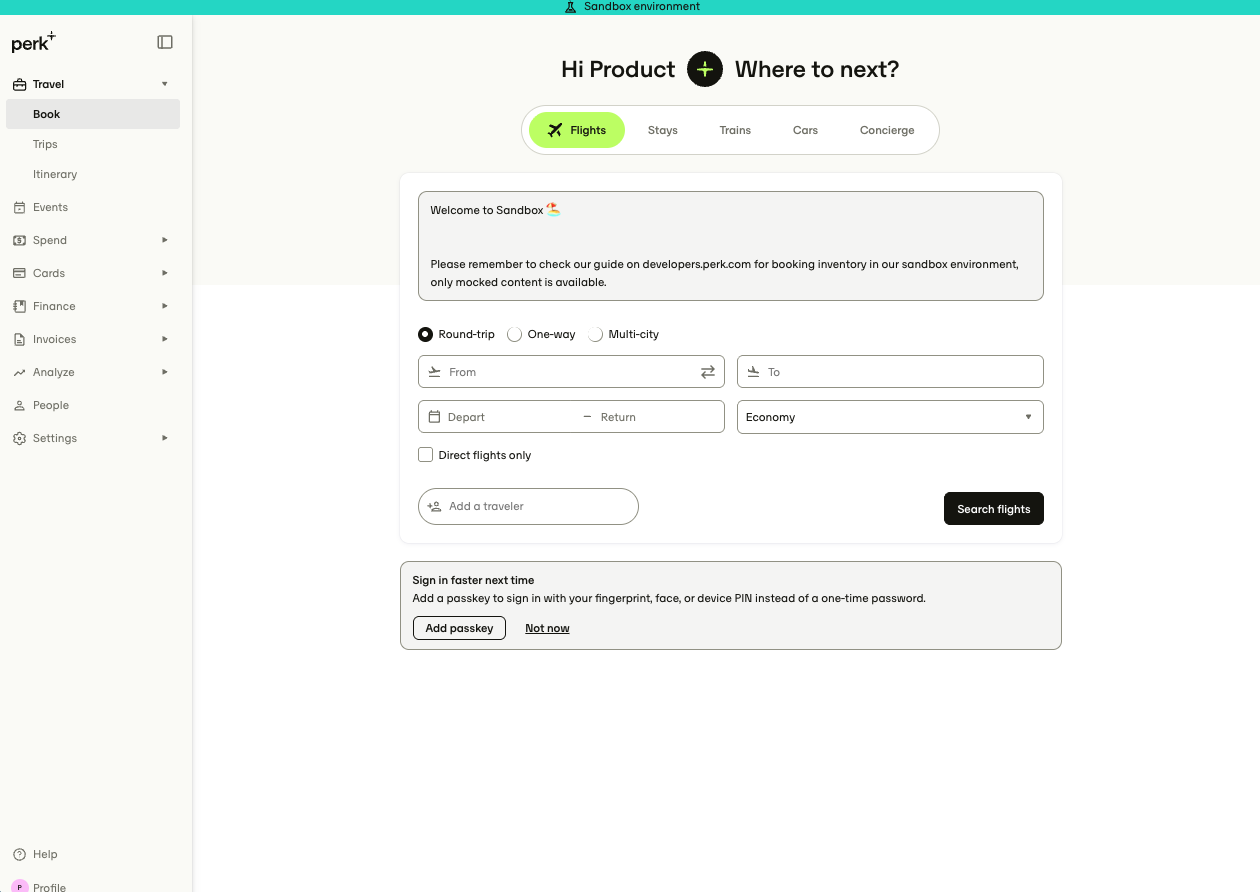
Securing your dataEach sandbox environment is isolated and independent of any other sandbox accounts created by other customers and partners. When you create a user through our SCIM user provisioning API, only someone who has API keys to your sandbox environment will be able to read that data.
Create your Sandbox account
To create your account access the sandbox sign up and complete the registration:
-
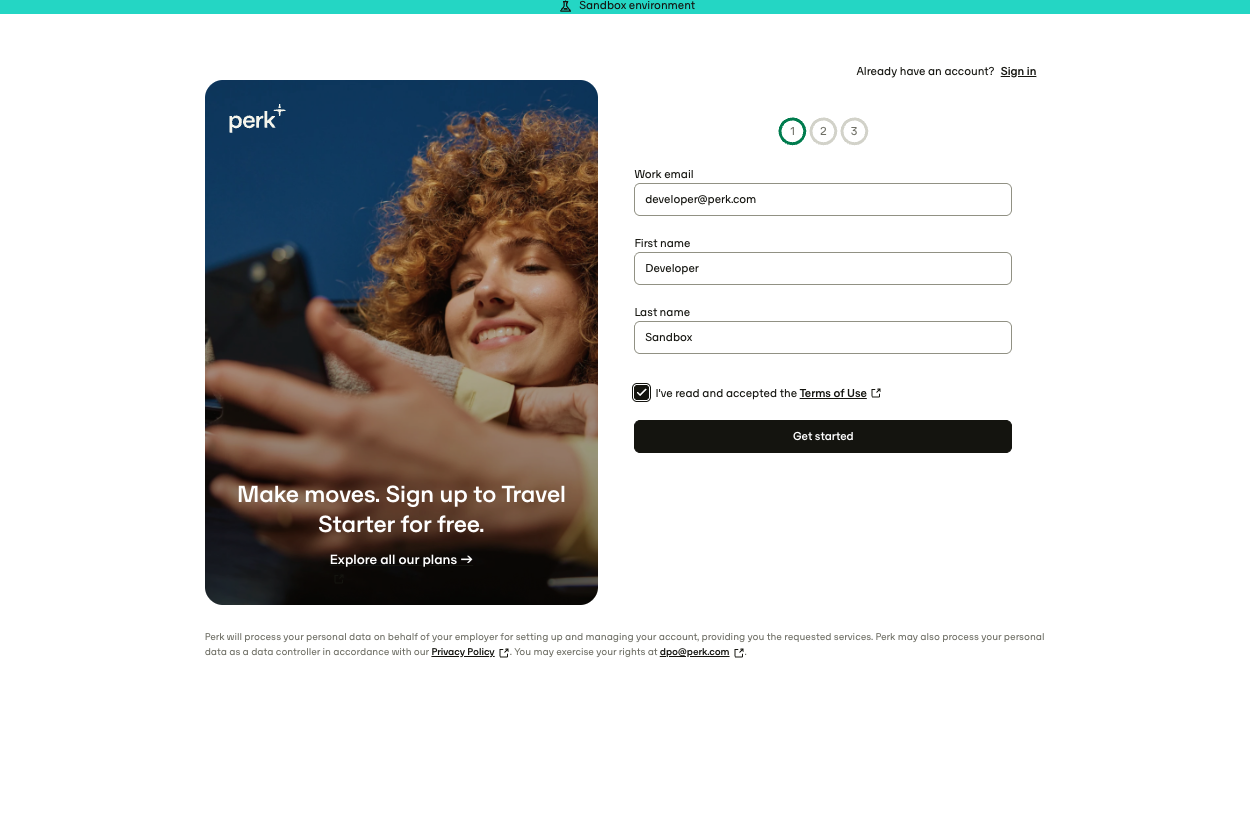
Go to https://app.sandbox-perk.com/signup.
-
Complete the registration process introducing all the required information.
-
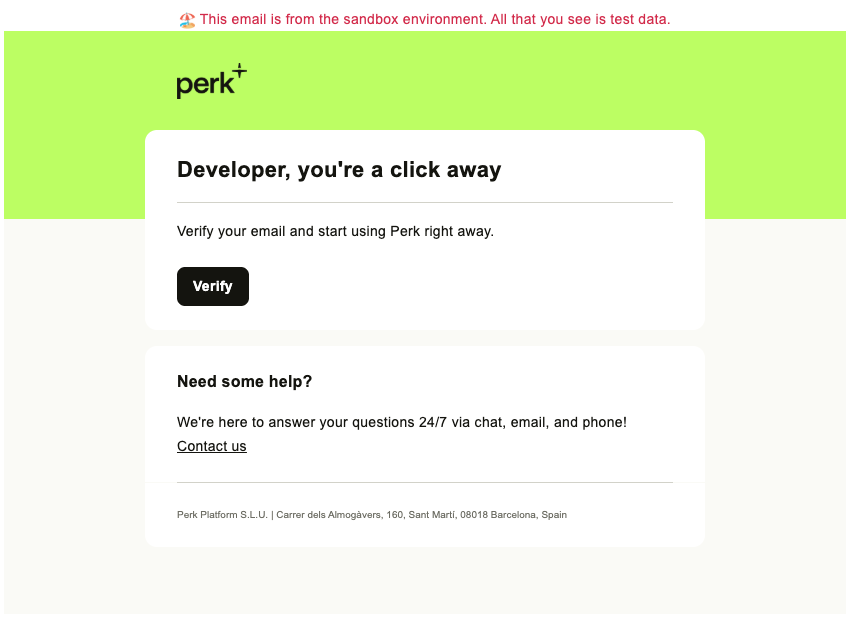
After completing the sign up, you receive a Welcome email, click on the link to proceed.
-
You're ready to go!
Opening the Sandbox from the Developers section
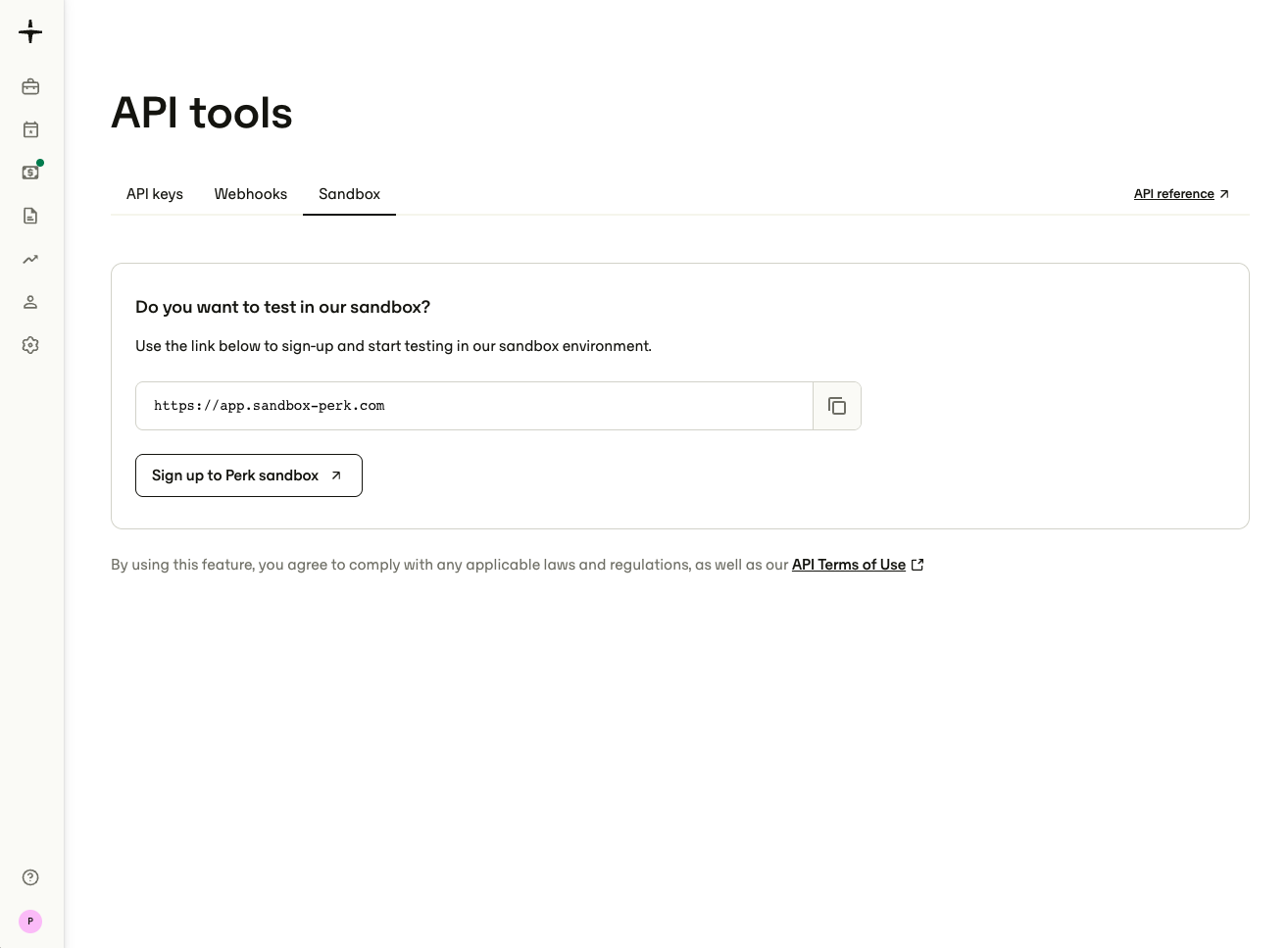
Alternatively, you can access the sandbox sign up page from the Developers section in your account.
- Go to Settings > Developer tools > API tools.
- Navigate to the Sandbox tab.
- Click Sign up to the Perk sandbox.
Getting started guides for new users
If you have never used Perk, but still want to get started with the platform, here you have some guides to help you out:
Sign up for free!The Sandbox environment is designed for testing API integrations.
You can always create a new Perk account and enjoy a 30-day Premium trial period.
Join the all-in-one platform gives travelers the freedom they want while providing companies with the control they need. Sign up for free
Updated 3 months ago